

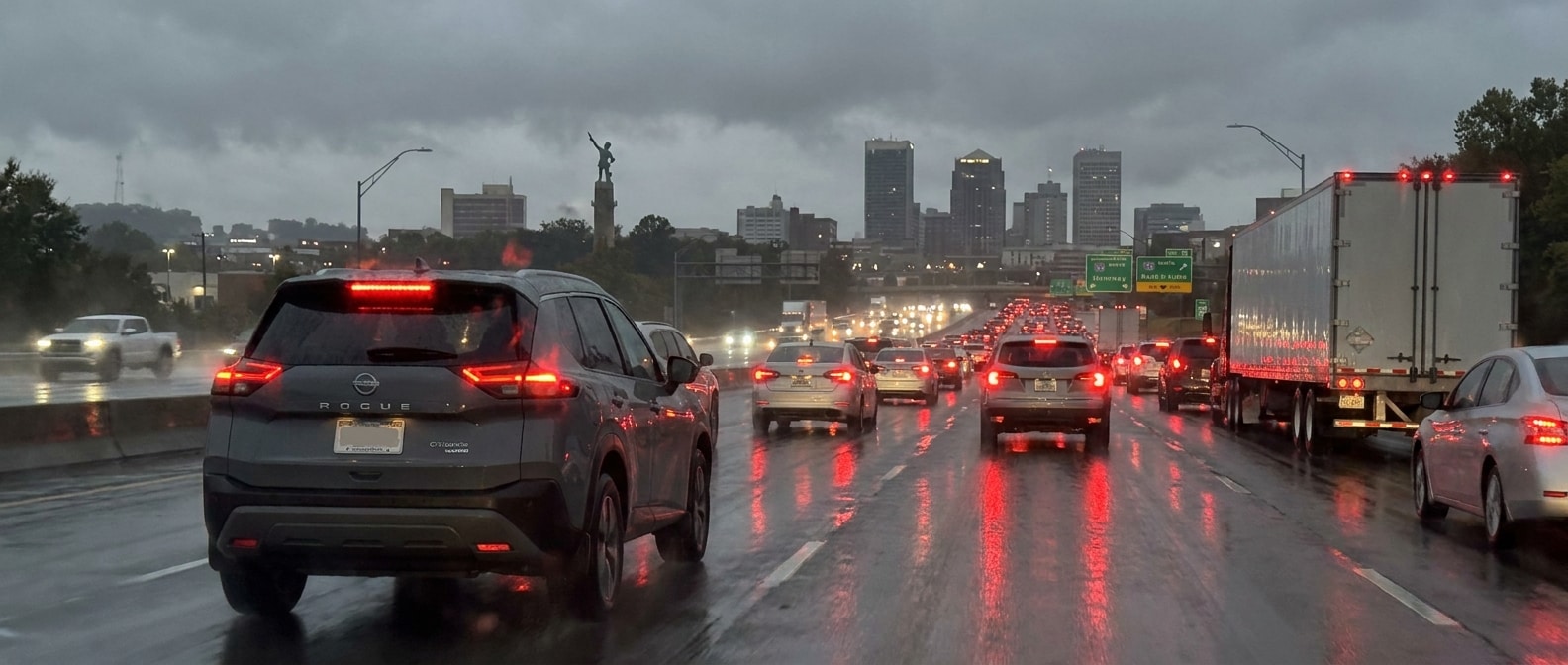
October on US-280 is its own kind of grinding. School is fully in session, the ALDOT widening project between Homewood and I-459 is still active, and average daily traffic on this corridor exceeds 120,000 vehicles. Start with the core answer before anything else. Nissan's two driver-assist layers, ProPILOT Assist and Safety Shield 360, do different jobs in a rolling queue, and understanding the split is what separates using them well from being surprised by what they won't do.
The 2026 Nissan Rogue is the most capable platform we carry for this exact commute. ProPILOT Assist comes standard on the SV trim and above, and that system was built specifically for stop-and-go highway use.
What Each System Does (and Does Not Do) in a Slow Queue
Each layer owns a different moment in the queue, so treat them as two tools rather than one, because ProPILOT Assist manages your speed and gap while you're moving and holds you at a full stop, and Safety Shield 360 watches the edges and steps in as a backstop if you close on something too fast. These aren't interchangeable systems running in parallel. They handle different moments.
| Situation on US-280 | ProPILOT Assist (SV and up) | Safety Shield 360 (all trims) |
|---|---|---|
| Traffic slows from 45 mph to 10 mph | Manages speed and following gap automatically | Monitors closing distance, warns if needed |
| Full stop in queue | Holds the car at a complete stop | AEB can intervene if you're closing too fast |
| Traffic resumes after stop | Resumes with a button tap or light accelerator input | No automatic resume; alerts only |
| Lane drift from fatigue | Steering Assist helps center the car | Lane Departure Warning alerts you |
| Distraction at slow speed | System stays active; hands must stay on wheel | AEB with Pedestrian Detection active |
| Merging lane squeezes in | Does NOT manage lateral traffic (lane changes) | Blind Spot Warning alerts to adjacent vehicles |
| Following distance to set | Three gap settings: Long, Middle, Short | No gap management; passive monitoring |
Here's the honest tradeoff. ProPILOT Assist is a highway, single-lane system. It doesn't make lane-change decisions, and it needs clear lane markings to hold the center line. On stretches of US-280 where construction narrows lanes or fades the paint, expect the system to hand control back to you. That's not a flaw. It's the boundary you need to know.
The One Technique That Matters Most on US-280
The single technique worth drilling is simple to state. Set your following gap before you hit the congestion rather than inside it, because once you're boxed in, fiddling with the distance button while a pickup brakes hard ahead of you is exactly when drivers give up on the system and take over by hand.
The 2026 Nissan Altima and the Rogue both offer three following-distance settings on ProPILOT Assist. From what rolls through our service lane, the Short setting is the one that feels too close when a pickup brakes hard ahead, and that's usually when a driver cancels the system and handles the slowdown manually. On US-280 in October, with construction-zone speed transitions near the Jefferson/Shelby County line, the Middle or Long gap setting gives the system enough runway to smooth the braking before you feel the need to grab the wheel.
- Press the ProPILOT button on the right side of the steering wheel. The display turns blue (standby).
- Bring the Rogue to your desired highway pace, then tap the SET toggle down. Icons turn green.
- Press the Distance button to cycle through gap settings. Go Middle or Long for US-280.
- Keep both hands on the wheel. The system is hands-on, not autonomous.
- When traffic stops, the Rogue holds at a standstill. When it moves, tap the accelerator or press RES to resume.
- If construction narrows the lane markings, take manual control. The system will prompt you; do not wait.
What about the bigger Nissans? The 2026 Nissan Pathfinder and the 2026 Nissan Armada carry ProPILOT Assist as well, including ProPILOT Assist 2.1 on the Armada's upper trims, and the core stop-and-go behavior across every version works the same way. The system holds to a full stop, then waits for your input to resume.
On US-280 specifically. Safety Shield 360's Automatic Emergency Braking with Pedestrian Detection stays active below the ProPILOT speed floor and through the moments when you override or cancel. It is the backstop. You want both layers working. Do not cancel Safety Shield 360 alerts by habit.
A Quick Commute Checklist Before You Pull Onto US-280
Before the commute settles in, run a two-part check, because Safety Shield 360 runs on every current Nissan trim whether or not you switch on ProPILOT Assist, and you'll want both layers confirmed working rather than assuming the one you didn't activate is awake. Check both before your commute settles in. A quick service check at Hallmark Nissan confirms that your cameras and radar sensors are clean and properly calibrated, which matters after road-construction dust builds up on a corridor like US-280.
In short, ProPILOT Assist manages the gap and the stop, while Safety Shield 360 watches the edges. Use the right gap setting, keep your hands on the wheel, and know where the construction zones will ask you to take over.
If you want to feel how ProPILOT Assist actually responds in slow traffic before you commit, come in. We'll put you in a Rogue SV or Pathfinder on a real route, not a parking lot demo.
Categories:
Social